
With Weavebit, you can add monitoring tasks in bulk, define detection frequency, assign multiple alert recipients, and receive notifications through Telegram, email, or in-app alerts. Pricing starts as low as USD $0.0025 per check, with self-service crypto top-ups supported.
Try the service first and top up only if it fits your needs. Contact us on Telegram to request a trial.
Contact on TelegramFocused on GFW DNS cache poisoning and hijacking by the three major mainland China carriers.
Send notifications through Telegram, email, or in-app messages to one or multiple contacts.
Top up on demand, create tasks yourself, and pay only for the checks your monitoring uses.
We currently focus on the two most common domain blocking or interception scenarios for services accessed from mainland China.
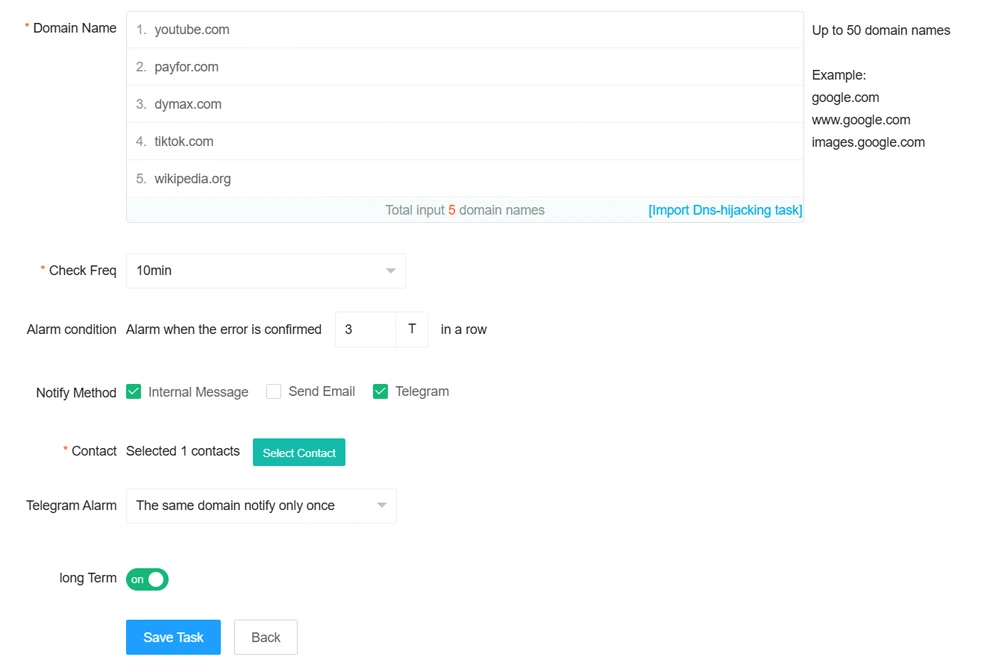
DNS cache poisoning is one of the most common and most severe ways the GFW blocks domains. Once a domain is poisoned, users in mainland China are often redirected to an incorrect IP and cannot access the site normally. Weavebit helps you continuously monitor whether your domain is affected.
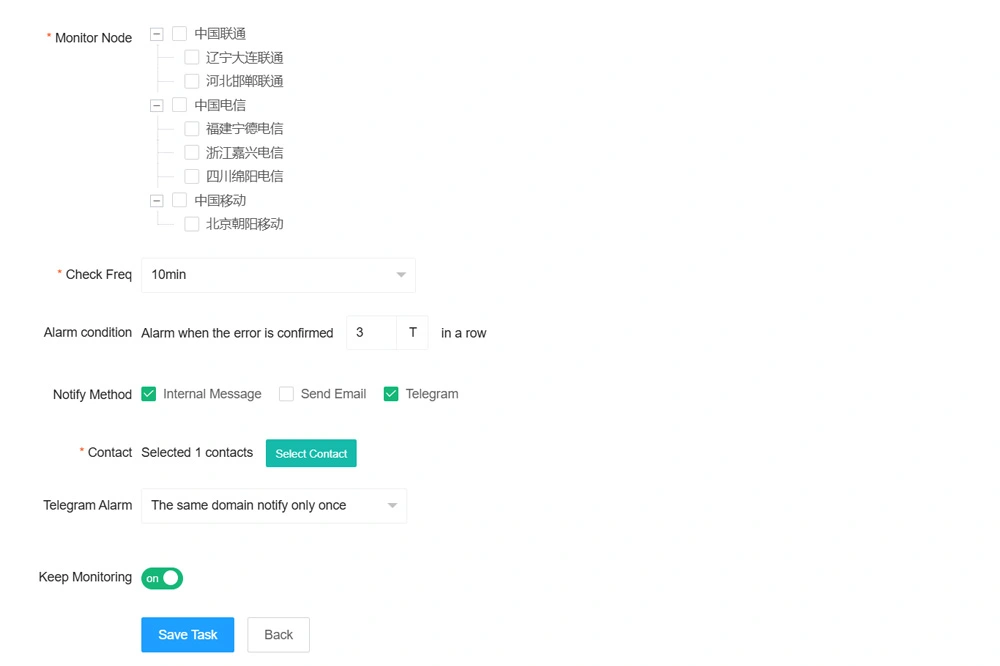
Another common blocking method in mainland China is ISP-level hijacking by China Unicom, China Mobile, or China Telecom. This often redirects users to an anti-fraud or warning page. Weavebit helps you detect whether your domain is being intercepted by these carriers.
We recommend setting up your account in the following order.
Register a Weavebit account and add balance as needed. We support crypto top-ups including USDT, USDC, BTC, and ETH.
Under “Notification Management - Contacts”, you can edit the default contact and add more recipients. We recommend binding Telegram first so task alerts can be delivered immediately. Each task can notify multiple contacts.
Go to “Monitoring Tasks” to create DNS poisoning or ISP hijacking tasks. You can set a task name, add domains in bulk (up to 50 per task), define monitoring frequency, configure alert conditions, and choose notification methods.
When creating an ISP hijacking task, you must choose whether the domain resolves inside mainland China or outside mainland China. This affects node selection and alert accuracy. Choose “resolves inside mainland China” only when the domain has ICP filing and points to a mainland China IDC or CDN provider.
By default, Weavebit notifies you once after an anomaly reaches the configured confirmation threshold. If you need ongoing visibility into unstable domains, enable continuous notifications. When enabled, alerts continue while the issue persists and stop only after the domain returns to normal. This is especially useful with Telegram alerts.
Weavebit supports API-based checks through “API Management” in the Console. You can manage API keys, review the documentation, and track usage and billing so the detection capability can be integrated into your own systems.
Create API keys in the Console and track both usage volume and billing in one place.
Contact us via Telegram or email and we will help you choose the most suitable monitoring setup for your use case.
Contact on Telegram Send Email